New Feature Updates For All 3 Apps
Click on an app to skip directly to its new features.
Updated: May 15, 2026
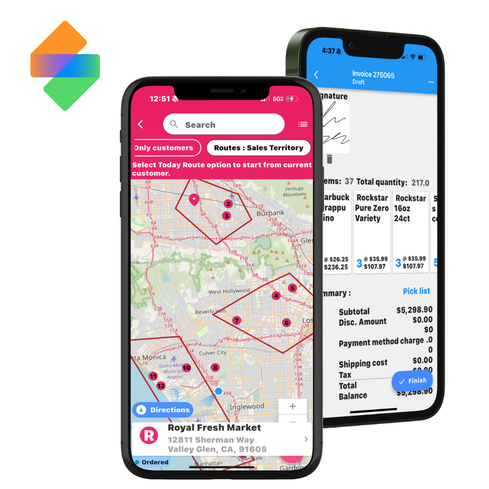
inSitu Sales Gains CRM Capabilities, AI Functionality, & Truck Loading
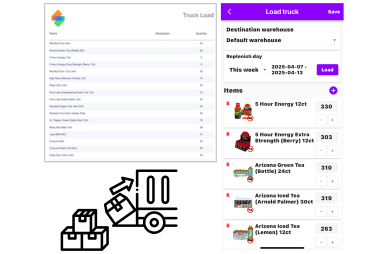
Load Trucks For Sales Reps / Drivers
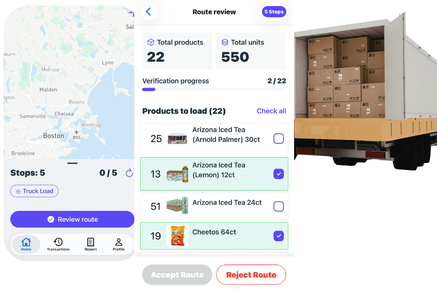
Designed specifically to help sales reps and DSD drivers quickly generate a list of inventory needed to replenish stock, loaded from previous sales transactions
Produce lists of required inventory to restock from multiple digital warehouse locations, allowing efficient management of stock quantity from the field.
Smarter AI Orders
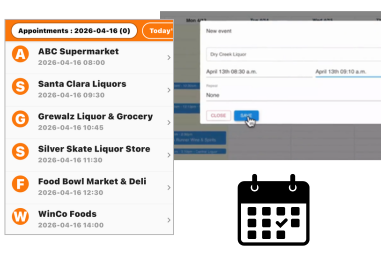
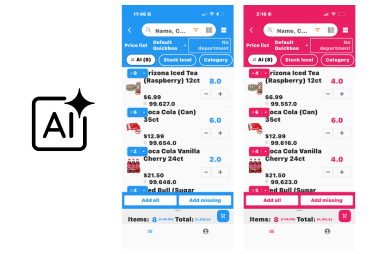
Built-in AI automatically learns your customers’ purchasing patterns based on transaction history, producing recommendations for products and quantities.
The AI keeps track of when customers will need to replenish stock, what products they’re replacing, and how much they typically need.
Create Sales Goals Tracking For Reps
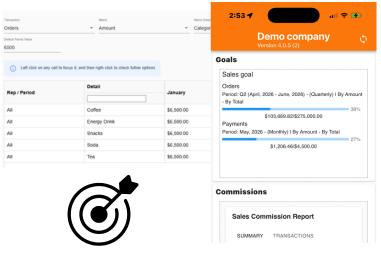
Create sales goals to track for your reps, making it easier than ever to target specific metrics over periods of time.
Goals can be for invoices, orders, payments, or estimates, and can be assigned to almost anything your team wants to focus on, whether that’s customers, categories, brands, etc.
Updated: May 15, 2026
inSitu Inventory Adds WMS Essentials
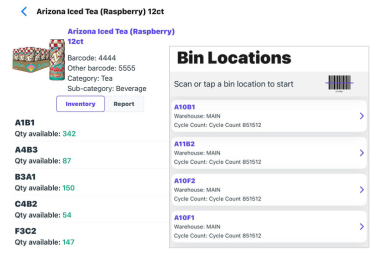
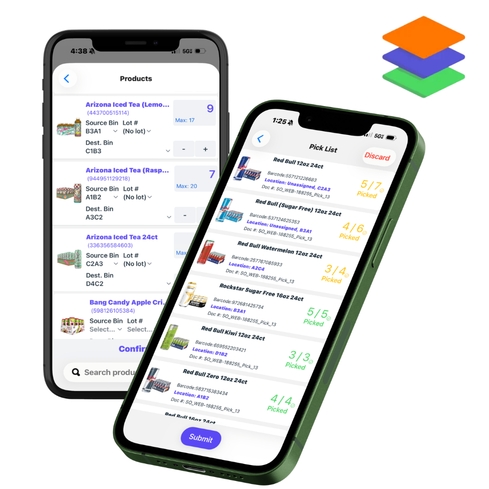
Manage Multiple Bin Locations, Lot Numbers, & Expiration Dates
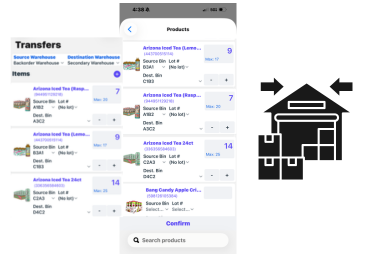
Add and manage multiple bin locations throughout warehouses. Every individual bin comes with live inventory tracking to simplify checking available stock and identifying shortages.
At any time, pickers can review how the total inventory for a product is divided between each bin in their warehouse.
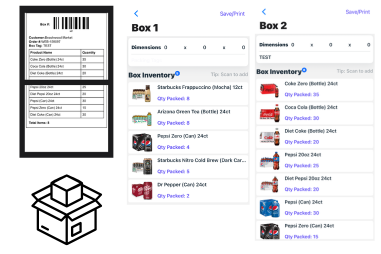
Create Packlists & Build Boxes w/ Shipping Labels or Packaging Slip
Turn any fully or partially completed picklist into a new packing task with a dynamic packlist.
Pack inventory into the appropriate boxes with the necessary shipping label or packaging slip ready to be printed (Brother & Zebra printers only), or shared as a PDF on demand.
Updated: May 15, 2026
inSitu Dispatch Creates ‘Strict Mode’ Route Settlement, & Bonus Features
Generate Daily Route Reports
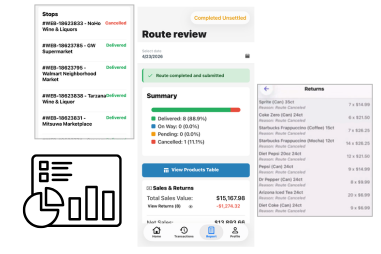
During routes, drivers can view the Reports tab to see a summary detailing completed deliveries, any payments collected, returns processed from cancellations, and a product table accounting for the movement of each product throughout the day.
Reports are sent to admins for approval. Each metric is accounted for, and can be built into future reports.