
inSitu Dispatch
Delivery Management Software For Wholesale Distributors
inSitu Dispatch gives distributors an optimized delivery management dashboard to:
– Assign invoices to drivers
– Schedule sets of delivery routes for specific dates,
– Track drivers on routes with realtime GPS.
Check out New Features here!
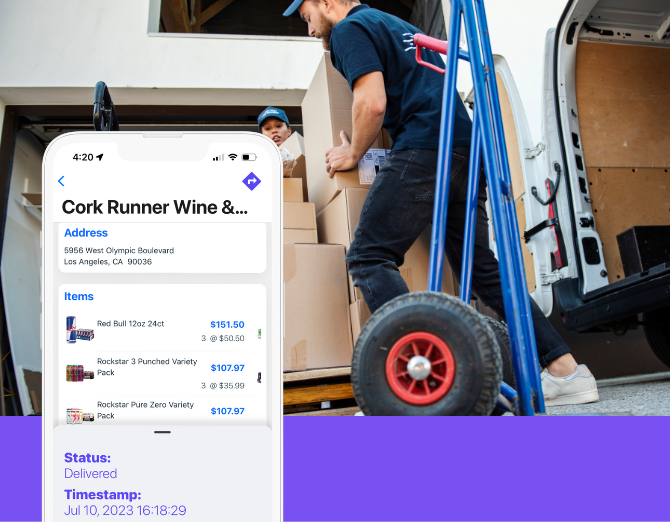
Simplified Delivery Dispatch Software
Delivery management software helps wholesale distributors plan delivery routes, assign orders to drivers, track deliveries in real time, and capture proof of delivery from one system.
inSitu Dispatch is delivery management and dispatch software built for distributors and DSD teams that need route scheduling, invoice assignment, GPS driver tracking, delivery confirmation with signatures and photos, and real-time route updates to keep operations efficient and customers informed.
Streamlined Deliveries For Maximum Efficiency
Organize your team with ease, and convert invoices into detailed delivery route plans ready to be updated to your fleets apps and boost performance within seconds.
Build A Route With Scheduled Timelines
Our Dispatch Route Planner gives admins the most efficient route possible, with consideration to the order, generating a calendar scheduled with timelines (ETA).
Proof Of Delivery Capture
Allow drivers to easily record proof of delivery confirmation complete with arrival time, and optionally adding signatures or photos.
Track Drivers In Realtime
Our live GPS tracking means you’ll always know where drivers are between routes
Collect Mobile Payments On Delivery
Drivers can collect mobile payments and process them on the spot through cash, check, visa, or credit card entry. Customers who’ve paid will be marked with a green ‘Paid’ sticker attached to the invoice.
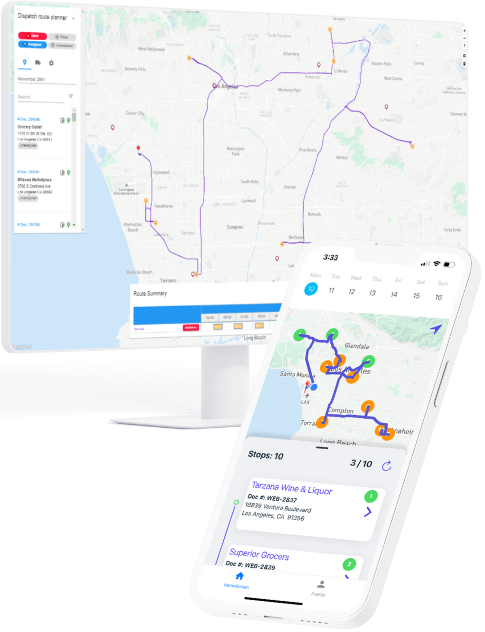
New – Route Settlement For Delivery
Route settlement adds an additional layer of verification and accountability for both admins and the drivers. With enhanced tracking on stops, inventory management for products on the truck, and financial reports to balance the routes, these features create a ‘strict mode’ that minimizes error, while highlighting the metrics that matter.
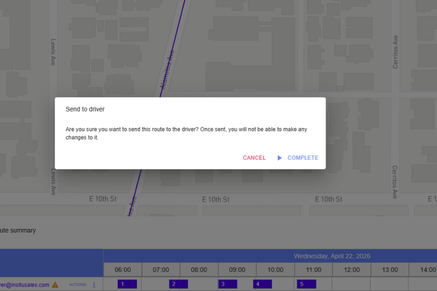
Driver Verification
With route settlement enabled, the routes are no longer automatically updated on the inSitu Dispatch app until the admin specifically selects to send it to the driver.
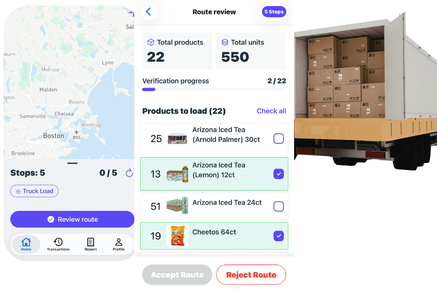
Review Routes & Loading Trucks
When beginning a new route, drivers are required to review the route and manually verify that each product and its required units are loaded onto the truck.
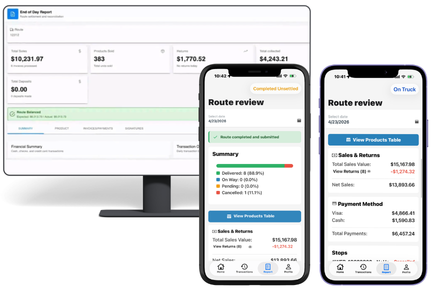
Generate Daily Route Reports
Drivers can view the Reports tab to see a summary detailing completed deliveries, any payments collected, returns processed from cancellations, and a product table accounting for the movement of each product throughout the day.
After reviewing, the driver can send the report back to the admin site. The admin can then mark the route as ‘settled’ once logging the necessary data. Each metric is accounted for, and can be built into future reports.
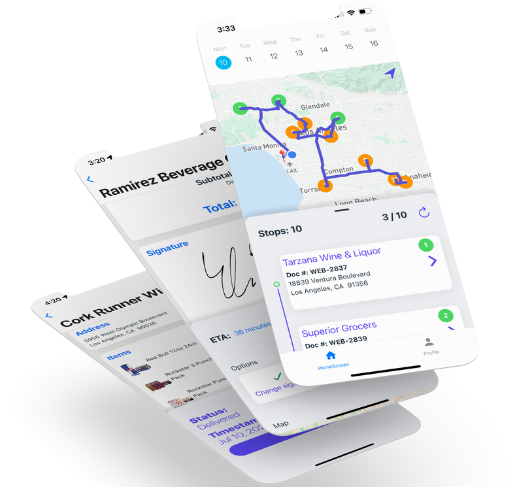
Download Our Delivery Dispatch App!
– Capture proof of delivery
– Real time visibility on delivery schedules and customers
– Updates and notifications on route changes and messages
– Built in analytics to configure detailed reports on activity
inSitu Dispatch Features
Below are just some of the key features that make inSitu Dispatch vital to equipping drivers to fulfill delivery orders for your team.
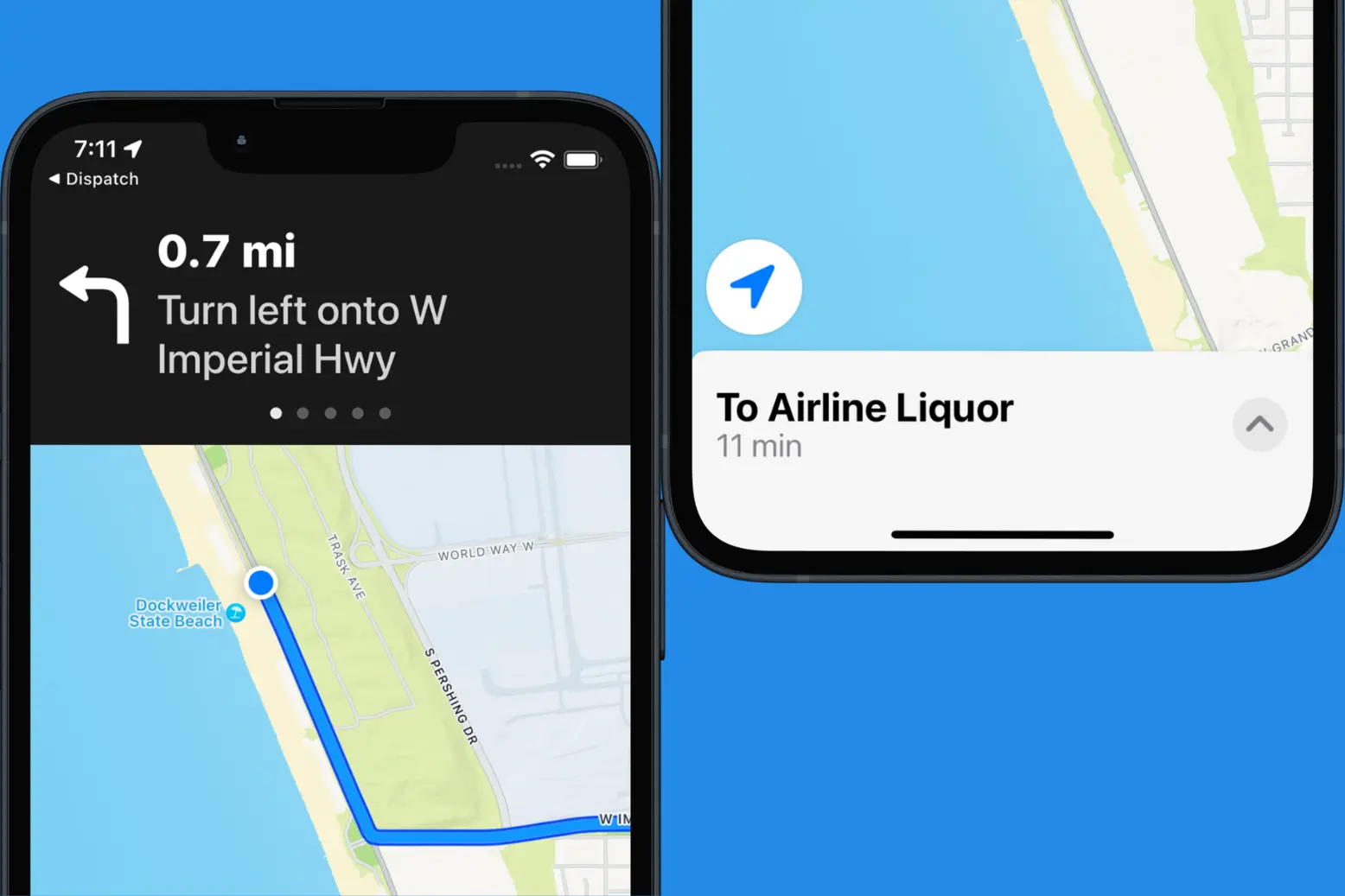
Turn By Turn Directions
inSitu Dispatch connects with your phone’s maps to offer guided directions to each stop. Every time a driver selects to start a new delivery, they will recieve updated updated and accurate instructions.
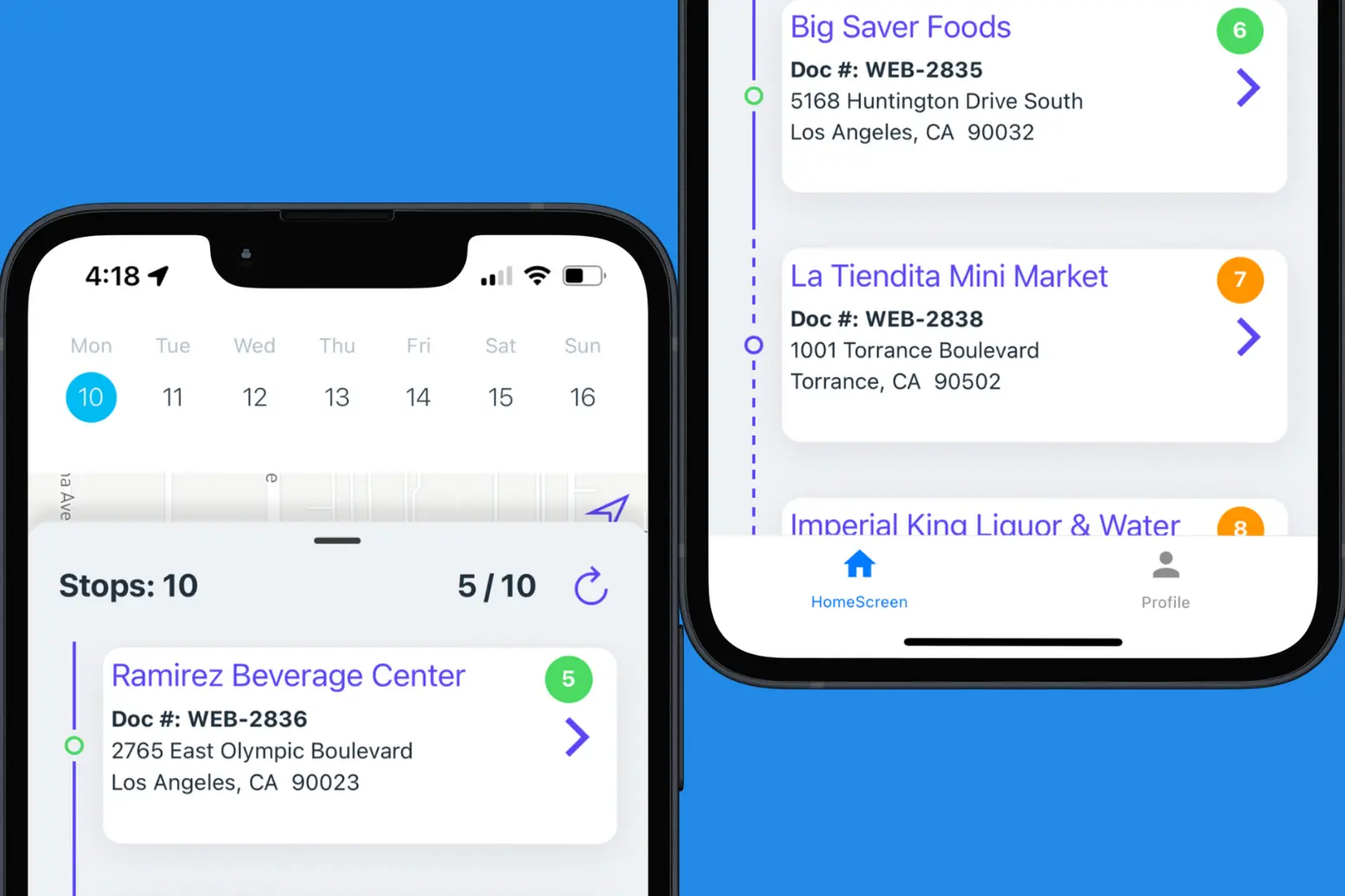
Build Route Stop Sequences
Keep track of delivery stops you’ve already visited, and how many are left before the day’s route is completed.
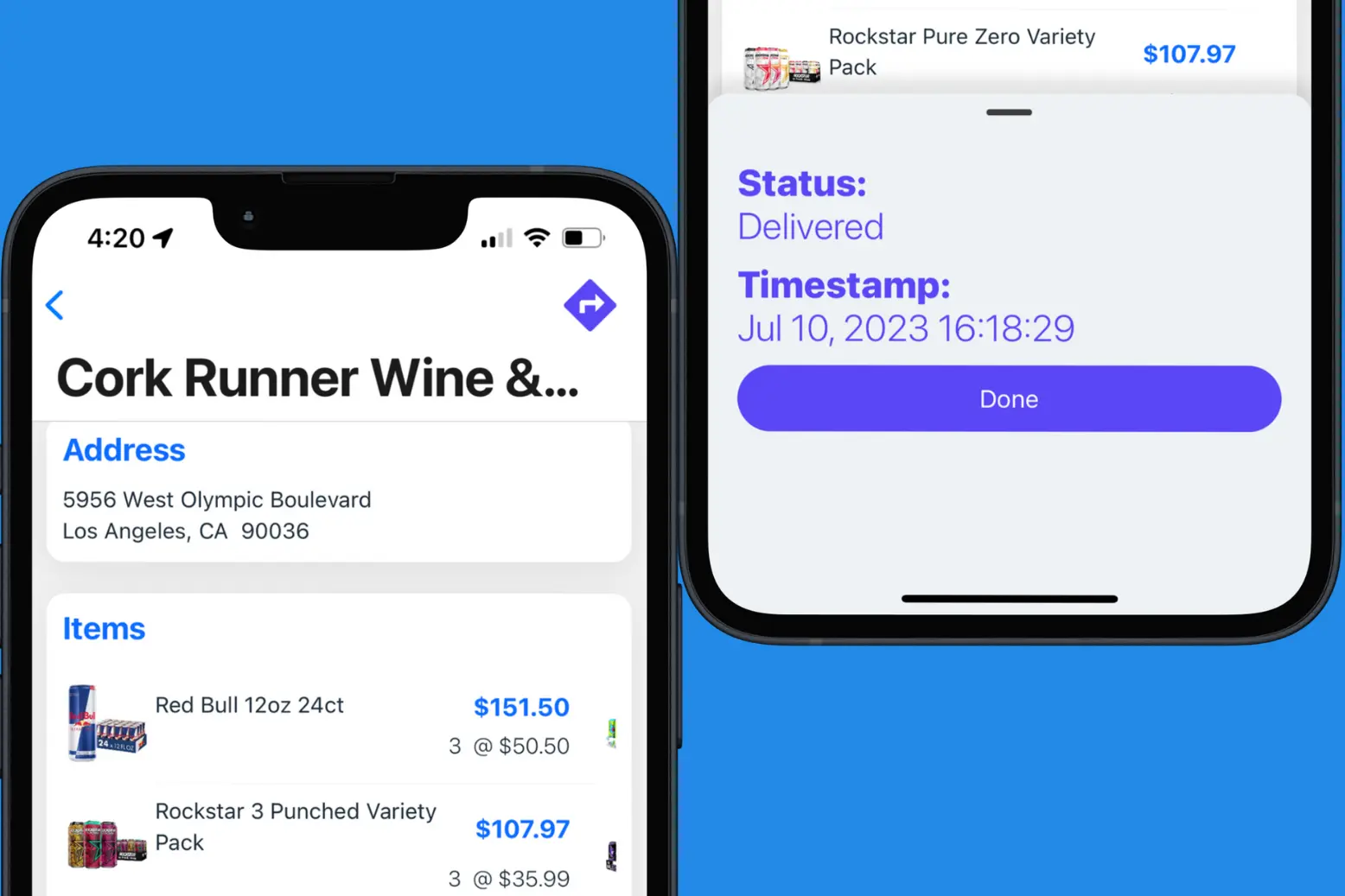
GPS Tracking With Timestamps
Every stop on a driver’s delivery route will provide an ETA updated in realtime using GPS, and will be marked with a timestamp upon completion. Predict when sales will be completed, and measure driver efficiency with records of final results.
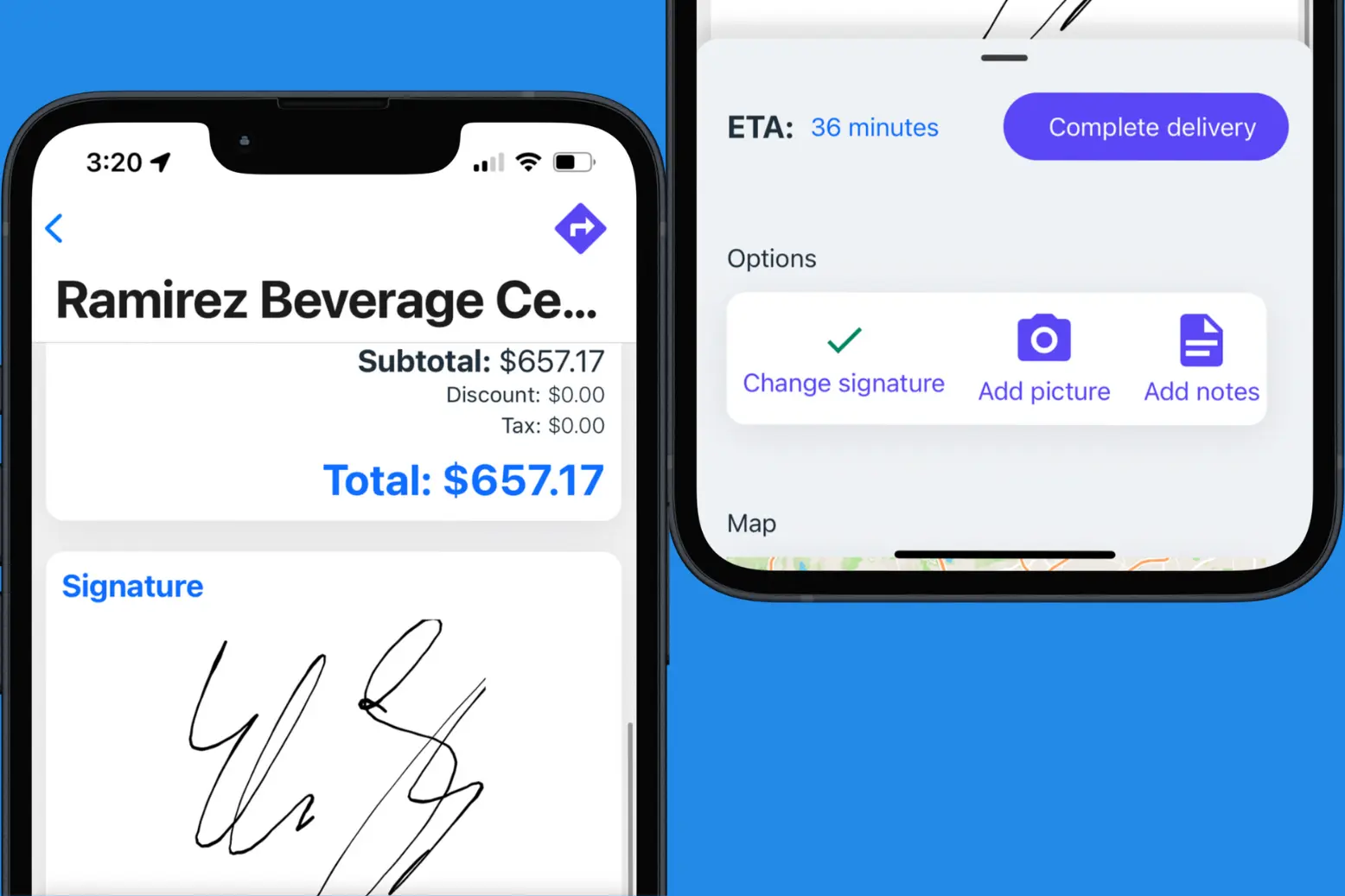
Point Of Delivery Confirmation
Add point of delivery confirmation options for added assurance of completed stops. Drivers can choose to add signatures, pictures, or notes to any invoice receiving payment.
FAQ
What is delivery management software?
Delivery management software helps distributors plan, assign, and track delivery routes, drivers, and orders from one system.
It provides visibility into delivery activity, improves route efficiency, and helps ensure accurate and timely deliveries.
What does dispatch software do for delivery teams?
Dispatch software helps delivery teams assign invoices or orders to drivers, schedule routes, optimize stop sequences, track driver activity in real time, and manage delivery completion.
It centralizes delivery operations and improves coordination between dispatchers and drivers.
How does delivery management software improve route efficiency?
Delivery management software improves efficiency by optimizing delivery routes, reducing unnecessary mileage, organizing stop sequences, and providing real-time updates.
This helps drivers stay on schedule and allows dispatchers to adjust routes as needed.
Does inSitu Dispatch support real-time GPS tracking?
Yes. inSitu Dispatch provides real-time GPS tracking so dispatchers can monitor driver locations, route progress, and delivery status throughout the day.
This improves visibility and helps teams respond quickly to delays or changes.
Can drivers capture proof of delivery?
Yes. Drivers can capture proof of delivery with features like signature capture, photos, delivery notes, and timestamps.
This creates a reliable record of completed deliveries for both the distributor and the customer.
Can delivery routes be updated during the day?
Yes. Dispatchers can update delivery routes, reassign stops, and send route changes to drivers in real time.
This flexibility helps teams adjust to last-minute changes, delays, or new delivery requests.
Who should use delivery management software?
Delivery management software is ideal for wholesale distributors, DSD operators, delivery teams, and logistics managers who need to coordinate routes, drivers, and deliveries while maintaining visibility into delivery performance and customer service.
Does delivery management software provide delivery analytics?
Delivery management software helps distributors plan, assign, and track delivery routes, drivers, and orders from one system. It provides visibility into delivery activity, improves route efficiency, and helps ensure accurate and timely deliveries.