ZOHO INVENTORY INTEGRATION FOR DISTRIBUTORS
Zoho Inventory Integration for Field Sales, DSD & Delivery
Connect Zoho Inventory to mobile order taking, invoices, payments, warehouse fulfillment and delivery workflows for wholesale distribution.
 +
+ CONFIRMED
SALES ORDER
- Customer
- Acme Distributors
- Warehouse
- Main Warehouse
- Items
- 12
- Order total
- $8,742.50
OrdersCustomersProductsInventoryInvoices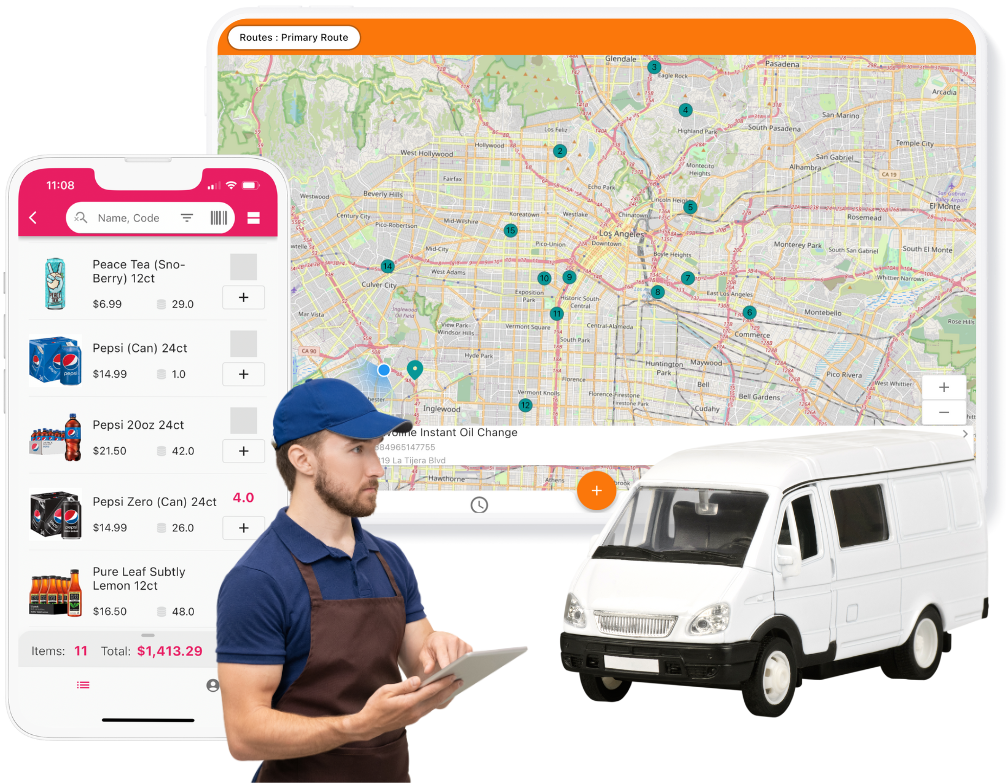
THE SHORT ANSWER
What is the inSitu Sales Zoho Inventory integration?
It connects configured Zoho Inventory customer, product, pricing, warehouse and inventory data with inSitu Sales mobile workflows for field sales, DSD, order taking, invoicing, fulfillment, delivery and B2B ordering.
ONE CONNECTED OPERATION
Zoho stays your inventory hub.
Extend Zoho Inventory into the daily work that happens at customer stops, in the warehouse and on delivery routes.
 inSitu SalesMobile workflows for your operation
ZOHO INVENTORY DATA SYNC
What does the Zoho Inventory integration sync?
Give each team the records it needs while keeping the configured system responsibilities clear.
- Customers & contactsApproved customer profiles, addresses and account context
- Products & item detailsCatalog information used by selling and fulfillment teams
- Price listsConfigured pricing and assigned commercial terms
- Warehouse inventoryAvailable stock context for configured warehouse locations
- Sales repsAuthorized users and assigned field-sales context
- CustomersNew or updated customer records created in the field
- OrdersCustomer orders and their configured line-item details
- InvoicesMobile invoices created by authorized users
Work continues offline.Authorized reps can take orders and create invoices without a reliable signal, then synchronize after connectivity returns.
Configuration matters. Supported records, directions, timing, mappings and business rules depend on your Zoho Inventory and inSitu Sales setup.
FIELD TO FULFILLMENT
One connected workflow—from order to delivery.
Use purpose-built apps for each team while Zoho Inventory remains the back-office inventory foundation.

SELL IN THE FIELD
Take inventory-aware orders at every stop.
Give reps the customer, product, pricing and warehouse context they need to take orders and create invoices online or offline.
- Offline order taking
- Customer-specific pricing
- Mobile invoices and payments

FULFILL IN THE WAREHOUSE
Turn orders into accountable pick work.
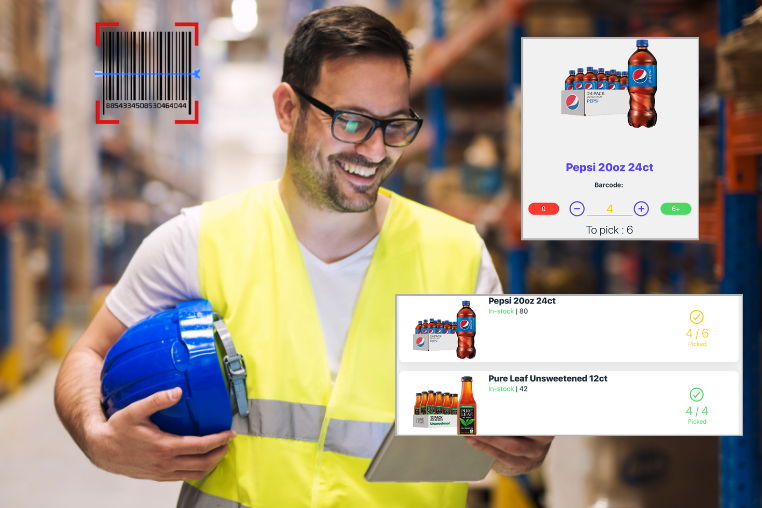
Move eligible orders into digital fulfillment workflows with warehouse inventory context, barcode picking and visible progress.
- Digital picklists
- Barcode-assisted picking
- Multiple warehouse context

DELIVER ON THE ROUTE
Keep the last mile connected to the order.
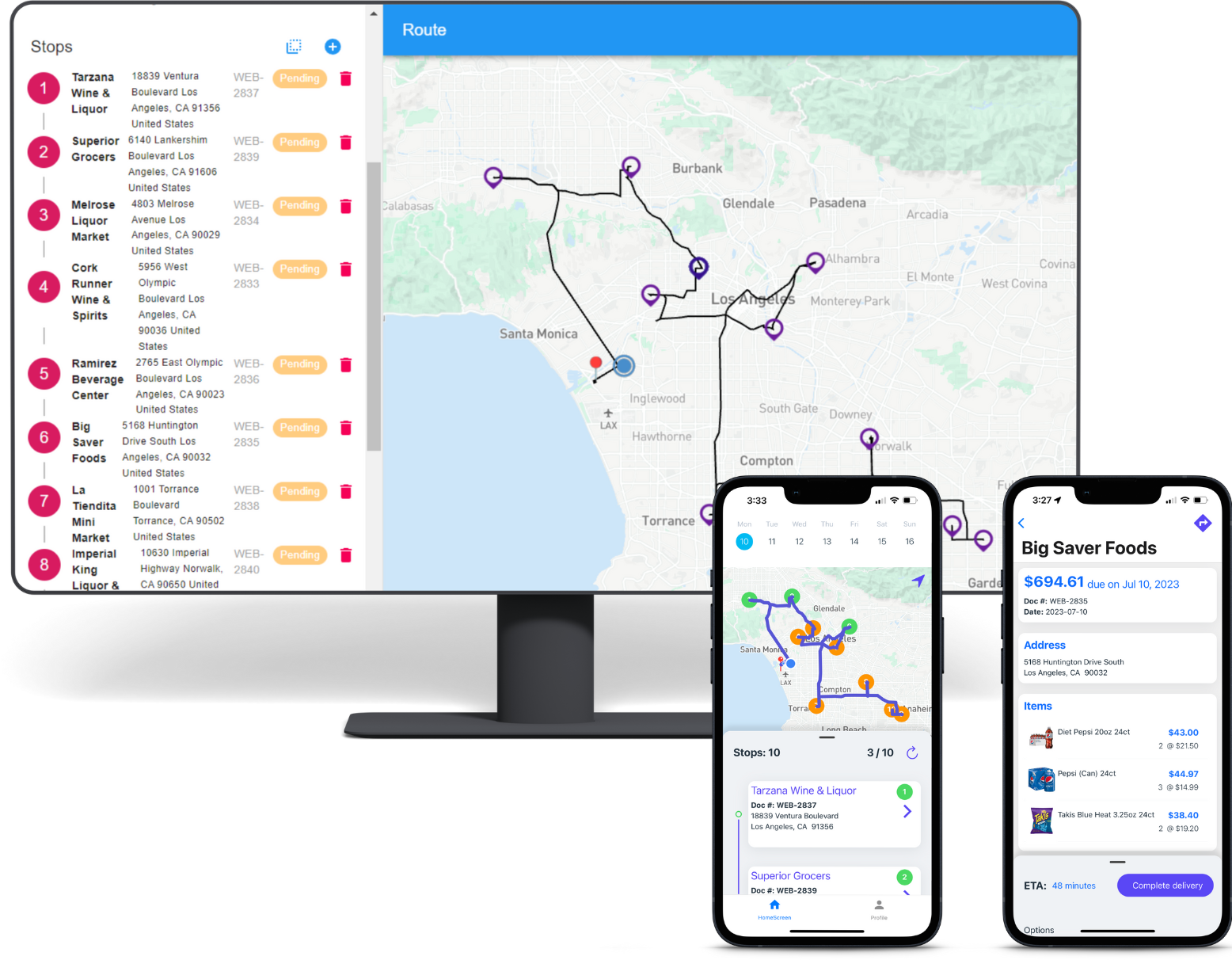
Plan delivery stops, give drivers the assigned order context and document proof of delivery, returns and collections.
- Route planning
- Proof of delivery
- Returns and collections
MORE THAN A GENERIC ZOHO INVENTORY MOBILE APP
Built for the way wholesale distributors sell and deliver.
inSitu Sales adds distribution-specific workflows around your configured Zoho Inventory data—without giving every field user unrestricted access to the back office.
HOW TO CONNECT
Connect Zoho Inventory in four clear steps.
Start with the standard connection, then confirm the data, warehouse, pricing and transaction rules that fit your operation.
- 1Create or sign in
Open your inSitu Sales account.
- 2Choose the integration
Go to Integrations and select Zoho Inventory.
- 3Authorize Zoho
Use your Zoho account to approve the connection.
- 4Validate the sync
Confirm the configured records, directions and mappings.
ZOHO INVENTORY INTEGRATION FAQ
Questions before you connect.
Bring your Zoho organization, warehouse structure and required field workflows. We’ll help map what should move and who should see it.
Talk through your workflowWhat is the inSitu Sales Zoho Inventory integration?+
It connects configured Zoho Inventory customer, product, pricing, warehouse and inventory data with inSitu Sales mobile workflows for field sales, DSD, order taking, invoicing, fulfillment, delivery and B2B ordering.
What data can sync from Zoho Inventory to inSitu Sales?+
Configured customers, products, price lists, warehouse inventory and sales-rep context can be made available to authorized inSitu Sales users. Exact records, directions, timing and mappings depend on your implementation.
Do orders and invoices created in inSitu Sales appear in Zoho Inventory?+
Customer orders, invoices and customer updates created by authorized inSitu Sales users can flow back to Zoho Inventory according to the configured integration workflow.
Does the integration use the Zoho Inventory API?+
The connection uses Zoho authorization and available Zoho Inventory API capabilities to exchange configured business records. Our team confirms the required objects, mappings and timing during setup.
Can field sales reps work offline with Zoho Inventory data?+
Yes. Reps can continue taking orders and creating invoices in the inSitu Sales app when internet service is unreliable. Their work can synchronize after connectivity returns.
Can inSitu Sales use inventory from multiple Zoho warehouses?+
Yes. Configured stock levels from multiple Zoho Inventory warehouse locations can be made available to the appropriate sales and warehouse workflows.
Can field reps collect payments?+
When payment processing is enabled, authorized reps can collect supported electronic payments in the field and work with open invoice information. Your payment provider and integration configuration determine the exact workflow.
How do I connect Zoho Inventory to inSitu Sales?+
Create or sign in to your inSitu Sales account, open Integrations, choose Zoho Inventory, authorize the Zoho connection and run the configured synchronization. Our team can help validate the initial data mapping.
READY TO CONNECT ZOHO INVENTORY?