
NETSUITE INTEGRATION FOR FIELD SALES, DSD & B2B
Turn every NetSuite record into action in the field.
Carry authorized customer, item, price, inventory and transaction context into field sales, DSD, delivery and private B2B ordering—then synchronize eligible activity back to NetSuite.
PUBLISHED ON SUITEAPP.COMFind inSitu Sales in the NetSuite ecosystem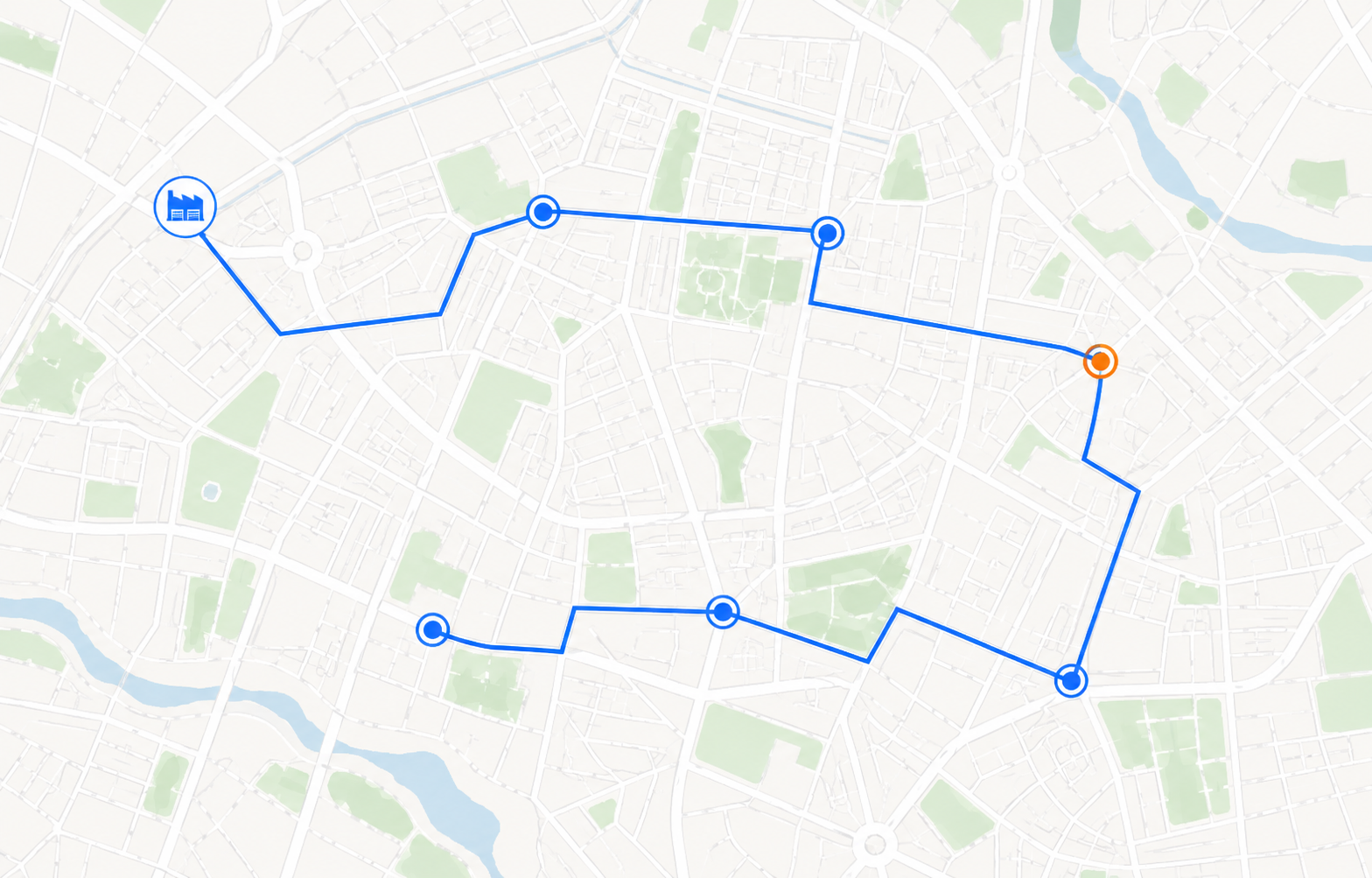
 ROUTE TO REVENUE
- Customers & items
- Pricing & inventory
- Open transactions
- Territories
- Routes & stops
- User assignments
- Take an order
- Check inventory
- Capture delivery
- Invoice or collect
- Return products
- Record proof
- Orders & invoices
- Payments & credits
- Delivery activity
NETSUITE INTEGRATION FOR WHOLESALE DISTRIBUTORS
Connect the ERP to the people who sell, fulfill and deliver.
inSitu Sales extends NetSuite into daily distribution execution. Field representatives, DSD drivers, delivery teams, warehouse users and approved B2B customers work with the operational context their role requires—without turning every user into a full ERP operator.
NETSUITE DATA SYNCHRONIZATION
Built for the records distributors actually move.
Keep the right master data and transactions connected while preserving explicit ownership, permissions and review points.
Give teams approved NetSuite context
Assigned accounts, addresses, terms, balances and credit context
Approved product data, units of measure and commercial structure
Approved pricing by item, quantity or volume, and customer, plus eligible discounts and promotions
Available inventory by warehouse, truck or location, including supported lot-number tracking
Eligible sales orders and fulfillment context for field and delivery teams
Balances and invoice detail for authorized collection workflows
DATA EXCHANGE
Return eligible operational activity
New or updated transactions captured in the field or B2B portal
Eligible invoices created during route sales or delivery workflows
Cash, check, card, ACH and other configured payment activity
Returned products, reason codes and approved credits
Signatures, photos, timestamps and delivery outcomes when configured
Visit status, location context, customer notes and route execution data
PUBLISHED SUITEAPP.COM LISTING
Review inSitu Sales in the NetSuite ecosystem.
See the published product overview, field and B2B capabilities, technical information and partner profile on SuiteApp.com.
NETSUITE MOBILE OPERATIONS
One integration across every route-to-customer workflow.
Choose the field, delivery and customer-ordering workflows that fit your operation while keeping NetSuite at the center.
Put authorized NetSuite context in every rep’s hands.
Reps can plan visits, review customer history, take estimates or sales orders, check inventory, apply assigned pricing and record notes online or offline.
- Mobile order entry
- Item, volume and customer pricing
- Inventory and lot visibility
- Offline field selling
Sell, invoice, collect and return at the stop.
Give DSD and van-sales teams the route, customer, product and transaction tools needed to complete more work at each visit.
- Route and stop execution
- Mobile invoices and payments
- Returns with reason codes
- Signature and thermal printing
Route orders or invoices and close the delivery loop.
Dispatch invoices for delivery or route sales orders that drivers can convert into invoices at the customer stop, subject to your approved workflow.
- Optimized delivery routes
- Customer order tracking
- Proof of delivery
- Payments and returns
Give approved customers a private ordering channel.
Extend assigned NetSuite catalogs, pricing, terms, order history and invoice access into a branded B2B customer portal.
- Customer-specific catalogs
- Online ordering and reordering
- Configured invoice payments
- Optional white-label customer app
AI-ASSISTED NETSUITE DISTRIBUTION ANALYSIS
Ask better questions of route, sales and inventory data.
Use permissioned operational data to identify patterns that deserve attention, then keep people in control of the decision and transaction.
EXPLORE AI FOR DISTRIBUTIONNETSUITE CUSTOMER STORY
Connected B2B ordering at meaningful scale.
Poppi reported that inSitu Sales helped make its wholesale process more efficient, transparent and data-driven while supporting a large share of company sales activity.
EXPLORE CUSTOMER STORIESCustomer-reported results currently published on the inSitu Sales NetSuite integration page. Individual results vary.
NETSUITE INTEGRATION TUTORIAL
How to integrate inSitu Sales and NetSuite
Follow our step-by-step tutorial to connect your NetSuite account to inSitu Sales. Start with the NetSuite setup documentation linked in the guide, then configure your connection and check your first sync.
- Open the NetSuite integration. In inSitu Sales, go to Integrations and select Oracle NetSuite.
- Save your connection settings. Enter your account and company information, choose whether to sync automatically, and select Save Settings.
- Run and verify your sync. Select Sync Now and confirm that each value syncs successfully.
NETSUITE INTEGRATION FAQ
Practical answers before you connect.
Use the demo to confirm records, roles, mappings, directions and route workflows for your NetSuite account.
What does the inSitu Sales NetSuite integration do?+
inSitu Sales connects approved NetSuite customer, item, pricing, inventory and transaction data with mobile field sales, DSD and van sales, delivery management, inventory workflows and private B2B ecommerce. Eligible activity can synchronize back to NetSuite according to the approved configuration.
Is inSitu Sales listed on SuiteApp.com?+
Yes. inSitu Sales has a published SuiteApp.com listing for its DSD, pre-sales and B2B ecommerce capabilities. The listing provides an independent NetSuite ecosystem profile with product, feature, technical and partner information.
Is the NetSuite integration two-way?+
Supported records can synchronize in both directions. The objects, fields, source of truth, timing, conflict rules and ownership model are mapped and approved during implementation.
Can NetSuite field sales reps work offline?+
Yes. Assigned data and eligible field activity can remain available on the mobile device without a connection, then synchronize after service returns. Offline availability depends on the workflow and configuration.
Can inSitu Sales support NetSuite DSD and van sales?+
Yes. DSD and van-sales teams can use assigned routes, customer information, product data, pricing and inventory context to take orders, create invoices, collect payments, record returns, capture signatures and print configured documents.
Can drivers route NetSuite orders as well as invoices?+
Yes. Delivery teams can work from eligible invoices or from routed sales orders that are converted to invoices at delivery when the approved NetSuite and inSitu workflow supports it.
How are returns handled?+
Authorized users can select returned products, quantities and configured return reasons. Eligible return activity can create or update the related credit memo workflow for synchronization with NetSuite.
Can customers track orders and reorder online?+
The inSitu B2B customer portal can give authorized customers access to configured order history, order status, invoice information, catalogs and reordering tools. Visibility depends on the distributor's portal configuration.
Can AI analyze routes and inventory stockouts?+
AI-assisted analysis can help authorized teams review route performance, visit coverage, inventory availability, potential stockouts and reorder patterns. Recommendations remain reviewable and do not submit transactions autonomously.
Does the NetSuite integration support lot numbers and advanced pricing?+
Supported configurations can give authorized users lot-number visibility and approved pricing by item, quantity or volume, and customer. Exact pricing rules, lot fields, inventory locations and transaction behavior are mapped during implementation.
Does inSitu Sales replace NetSuite?+
No. NetSuite remains the ERP and system of record. inSitu Sales extends the approved operational context into the field, warehouse, delivery team and B2B customer experience.
What should we prepare for a NetSuite integration demo?+
Bring your target workflows, NetSuite account and subsidiary structure, roles, locations, item and pricing rules, transaction requirements, expected users and synchronization priorities. The demo can then be mapped to your real distribution process.
READY TO CONNECT NETSUITE TO THE FIELD?
Map the integration to the way your team actually sells and delivers.
Bring your NetSuite structure, target records, field roles, route workflows and customer-ordering requirements. We’ll tailor the demo to your operation.